


General information
An increasing number of accounting firms and businesses are using BMD NTCS via terminal servers—in some cases even through our cloud solution, outside their own offices. In such cases, the “BMD Remote App” software acts as a link to your locally installed document scanner.
1. Prerequisites
- Operating system: Windows 11 Professional or higher, with the latest version of .NET Framework 4.8
- Scanner software: 32-bit or 64-bit TWAIN driver (WIA or ISIS drivers are not supported)
2. Installation
To install BMD Remote App on your client, you need the installer which you can download here. Always use the latest version available in the directory: https://www.bmd.com/bmdremoteappupdate/
Click on “Next” to proceed to the next step:
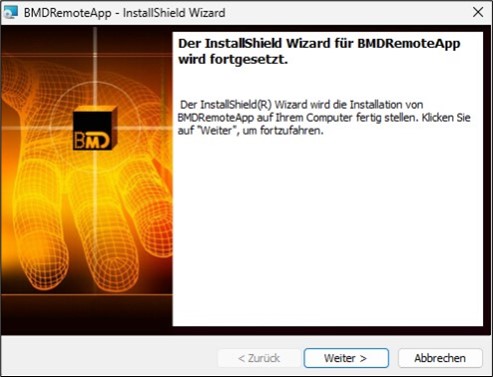
You will now be asked whether you are using BMD Com or BMD Scan:

Selecting Yes on the first prompt, “Do you use BMD Com?”, enables SSLv3 encryption.
For BMD Scan, encryption is not necessary, since communication takes place within your network. Therefore, when using BMD Scan, select No.
The application runs by default on TCP port 3719, which is automatically opened in Windows Firewall.
After installation, the application starts automatically and can be managed by right-clicking on the icon in the system tray in the bottom right corner of the task bar. The application is by default installed under C:\BMDRemoteApp.

3. BMD Remote App: configuration
Right-click on the BMD Remote App icon in the system tray to open the context menu. Enable the two options Enable request logging and Show scan function. Then, start BMD Remote App by selecting Show service:

Next, install the software for your scanner on this computer. The software must contain a TWAIN-compatible driver; otherwise, the scanner cannot be accessed.
Click the button ListScanner (TWAIN) and check whether your scanner models appear in the list:

4. BMD Scan: configuration
Next, you have to register the scanner or scanners in BMD NTCS under CRM → DMS → BMD Scan → Settings → “Register scanner”:

Click the “Register” button or press F5 and enter the IP address or the name of the client.
If you selected a different port, you have to add it separated with a semicolon (“:”) (e.g. 192.168.0.100:6666).
Once a scanner is found, it appears in the list:
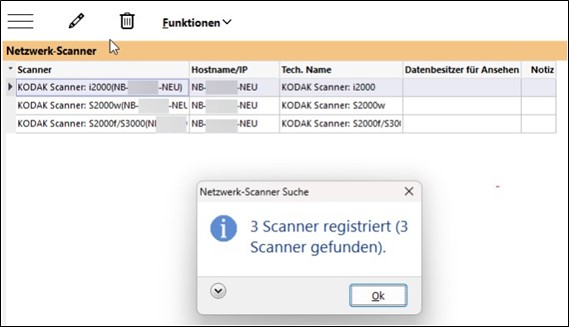
Note:
Depending on the manufacturer and driver, devices may offer two or more interfaces. In this case, all available interfaces will be displayed here. However, as mentioned earlier, functionality is limited exclusively to the TWAIN interface.
Next, you have to enable remote scanning and select the scanner. You can find these options under Settings → “Default scanner settings”:


Here, you can configure additional options, such as resolution (dpi), colour scheme, duplex scanning, output format, compression, etc. However, configuration on the TWAIN driver is often more accurate and offers more options. For configuration on the driver, disable Override driver settings and enable Show driver dialogue.
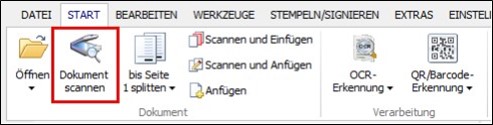
If everything has been carried out correctly, you can now access your local scanner from the terminal server and perform the first scanning operation under Start → “Scan document”:
Further information:
Document scanners (Datapool Austria)
- BMD Scan templates
Training video in German on creating and using BMD Scan templates - Workflow between BMD Scan, DMS, mail items und tasks
Training video in German on how the workflow between BMD Scan, the DMS, the mail tool and task management works